This page explains the action required if you see a screen like the one below when using your UTokyo Account.
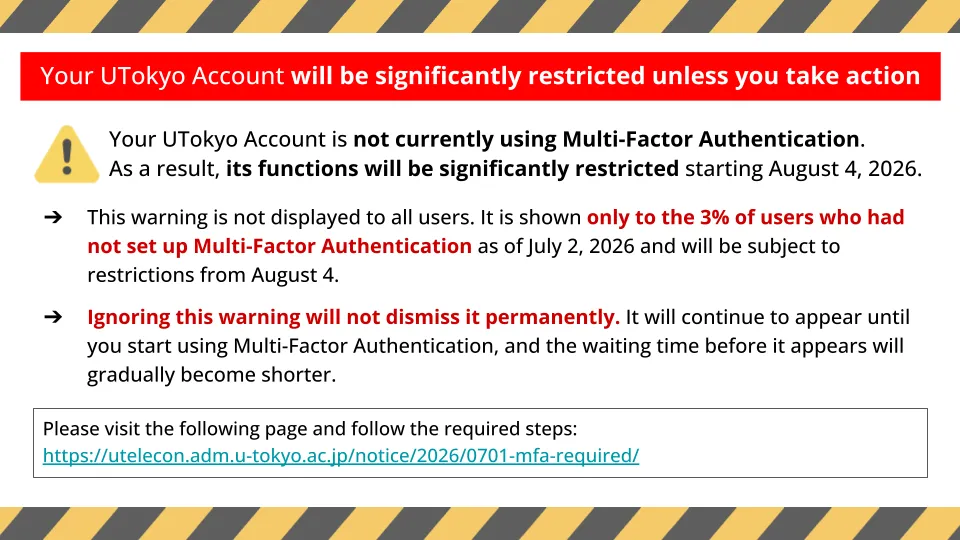
(The wording and design of the screen may vary depending on when it is displayed.)
What Happens If You Do Not Take Action
Your UTokyo Account is currently not using multi-factor authentication. As a result, its functions will be significantly restricted starting August 4, 2026. Please set up Multi-Factor Authentication by following the steps in “Required Action” below.
After August 4, 2026, if you are not using Multi-Factor Authentication, you will no longer be able to use any system that requires a UTokyo Account, including Microsoft, ECCS Cloud Email (Google), Zoom, UTAS, and UTOL.
For information about what multi-factor authentication is and how to use it, please see “Using Multi-Factor Authentication (MFA) for UTokyo Accounts”.
For the reason why all users are required to use multi-factor authentication, please see the notice “UTokyo Account Multi-Factor Authentication is now required for all services”.
Required Action
- Access the “View Your UTokyo Account User Information” and check whether the message “You are using Multi-Factor Authentication (MFA)” is displayed.
View Your UTokyo Account User Information
- If the message “You are not using Multi-Factor Authentication (MFA)” is displayed, please follow the steps in “Initial Setup Steps for UTokyo Account Multi-Factor Authentication” to complete the initial setup.
Initial Setup Procedures for Multi-Factor Authentication for UTokyo Accounts
-
If you have already registered a smartphone or other device but the message “You are not using Multi-Factor Authentication (MFA)” is displayed on the “View Your UTokyo Account User Information” site, there is a possibility that the UTokyo Account setup has not been completed.
- In particular, many users have not completed “Step 4: Apply for starting your UTokyo Account”. Please confirm this.
-
Once the Multi-Factor Authentication setup is complete, the warning screen will no longer be displayed.
Inquiries
If you have any questions or encounter issues with the Multi-Factor Authentication setup, please contact the utelecon support desk.